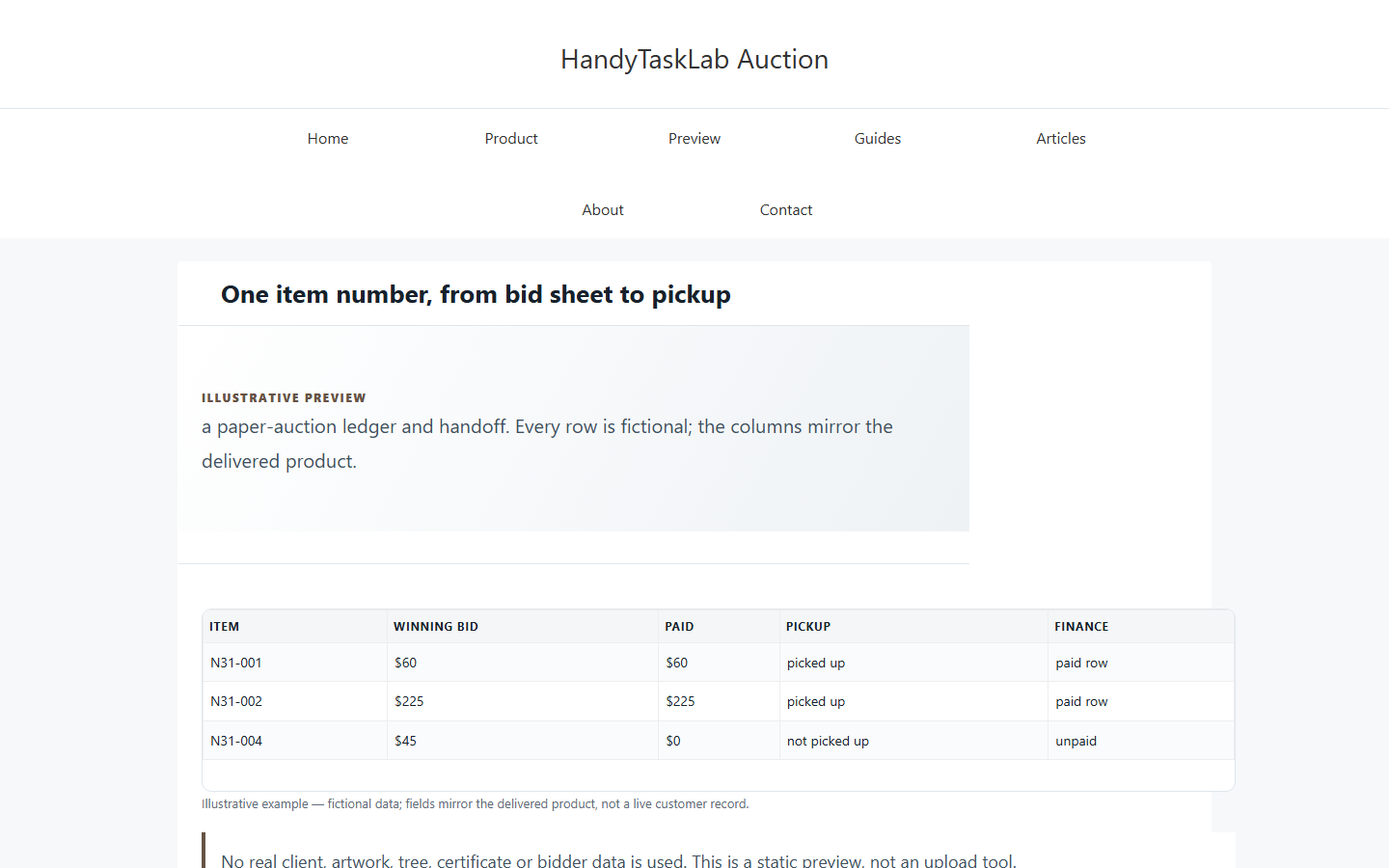
The finance handoff should reconcile item IDs, winning bids, payments, underpayments, void/no-sale rows and pickup status.
The problem in practice
The finance handoff starts from a total, but the items, winners, payment rows and pickup status no longer line up.
Short answer
Start from the item master, not from a separate total. Trace each finance row to an item and note unresolved amounts. Keep the printed bid sheets and a dated workbook copy with the CSV.
How to judge and fix it
- Match each finance row to the item master by Item ID.
- Review the winning bid, amount paid and outstanding difference separately; check void/no-sale rows separately.
- List unpaid balances and uncollected items separately, with an owner and unresolved note for follow-up.
- Keep the dated workbook, original paper bid sheets and exported CSV together.
A fictional example
For the fictional auction, compare total winning bids, payments and the net difference; mark any partial/unpaid rows and list unpicked items separately. The CSV is a handoff aid, not an audit opinion or a tax receipt.
Where the template fits: Paper only; no online bidding/payment/tax receipt. The related product/service page shows the fields; the step-by-step guide covers the workflow. The product does not replace your judgment or source documents.
Comments